
Skins
Same FoeAmp, whole new outfit. Download a free skin pack on your phone and add it in the app - no update needed, and no charge.
Free skin packs
First packs are in the oven
New skins are on the way. Check back soon - every one is a free download.
Built into FoeAmp
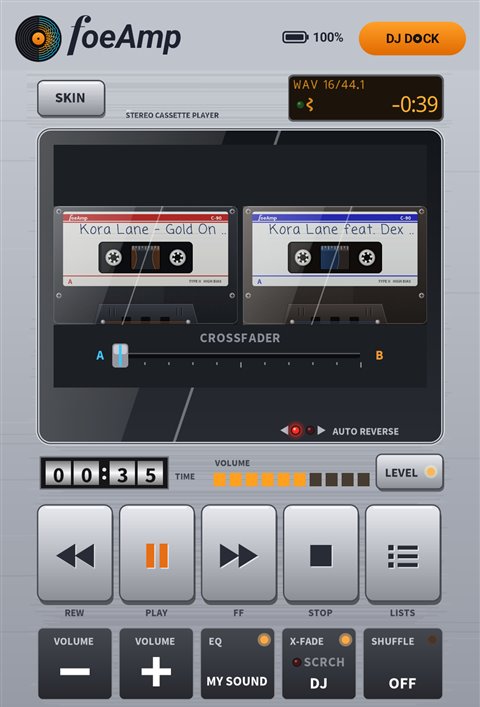
Cassette
A stereo tape deck - watch the reels turn.

Disc
A CD player with a glass lid and a disc that really spins.

VU
A 1970s hi-fi deck with needles that dance to the music.
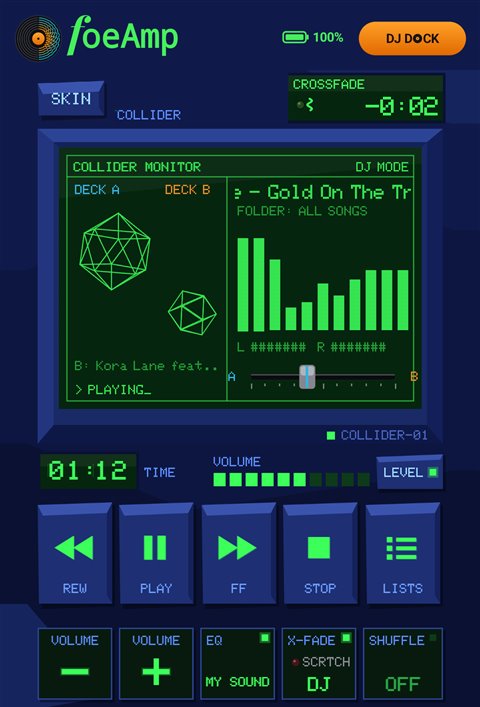
Collider
Green phosphor glow in chunky retro hardware.
How to add a skin
- On your phone, tap Download under the skin you want. It saves a .foeskin file to your Downloads.
- Open FoeAmp and tap SKIN at the top left of the player.
- Tap + ADD SKIN and pick the file from Downloads.
- The new skin joins the others. Tap it and enjoy the new look.
Added skins use FoeAmp's own visualisers - tap the picture to change between them. To remove an added skin, hold its tile on the SKIN screen. Only add skins from this site or ones you have the right to use.